Odin Valhalla Rising Global Mobile: Ultimate LagoFast Booster Guide
Big news! Odin global version supports pre-download for now! The game will launch officially on 29th Apr.!
Let's see how to improve the game experience with LagoFast Booster on your mobile!
Step 1: Installing the Game
Official Download:
For Android users: Visit the Google Play Store and search "Odin Valhalla Rising".
For iOS users: Open the App Store, and search "Odin Valhalla Rising".
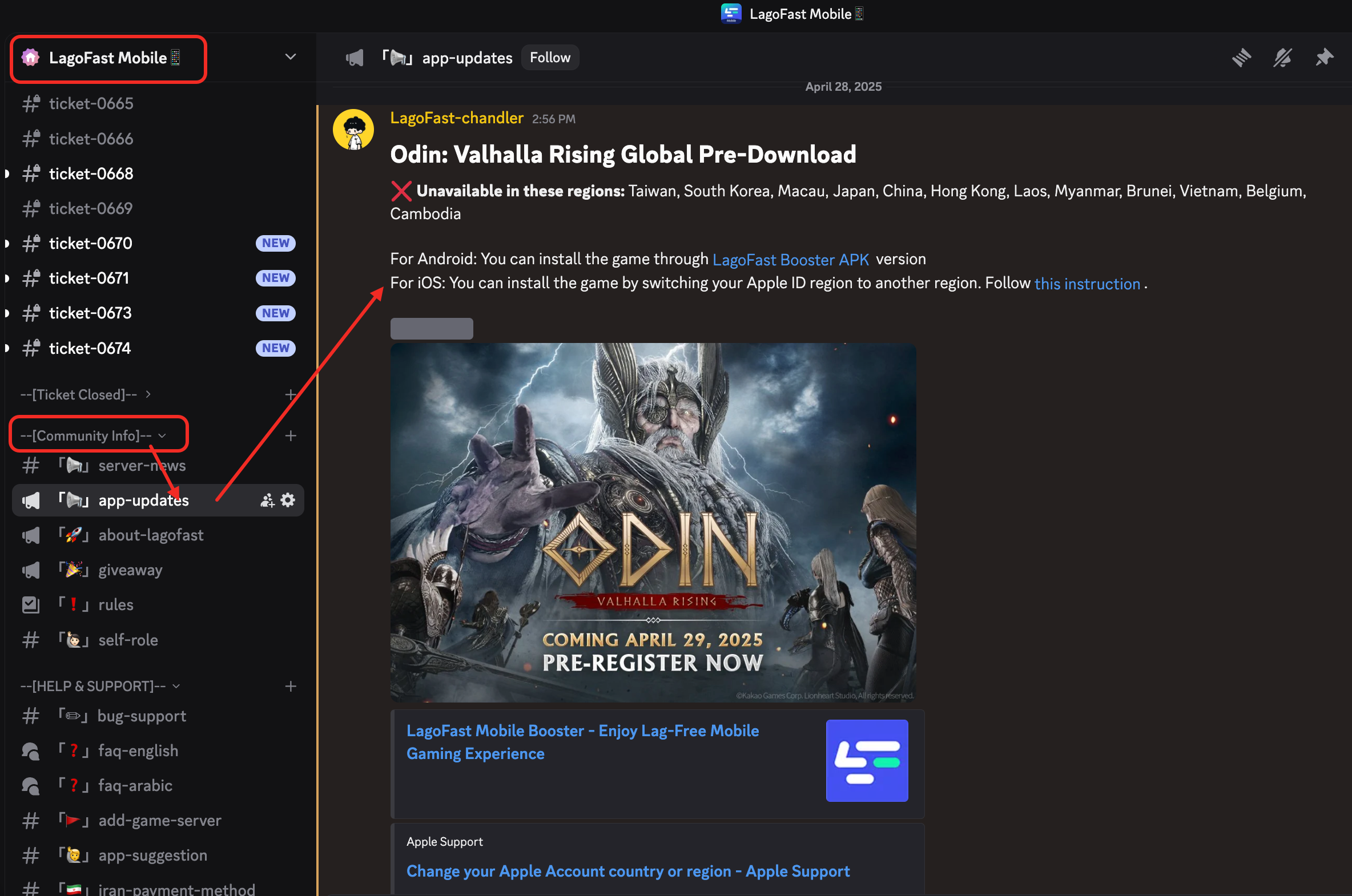
The global version is unavailable in these regions: Taiwan, South Korea, Macau, Japan, China, Hong Kong, Laos, Myanmar, Brunei, Vietnam, Belgium, Cambodia
If you are living in these regions, but want to get the global version on your phone, you can install the game following the instructions offered in LagoFast Discord server:
Step 2: Boost the Game with LagoFast Booster
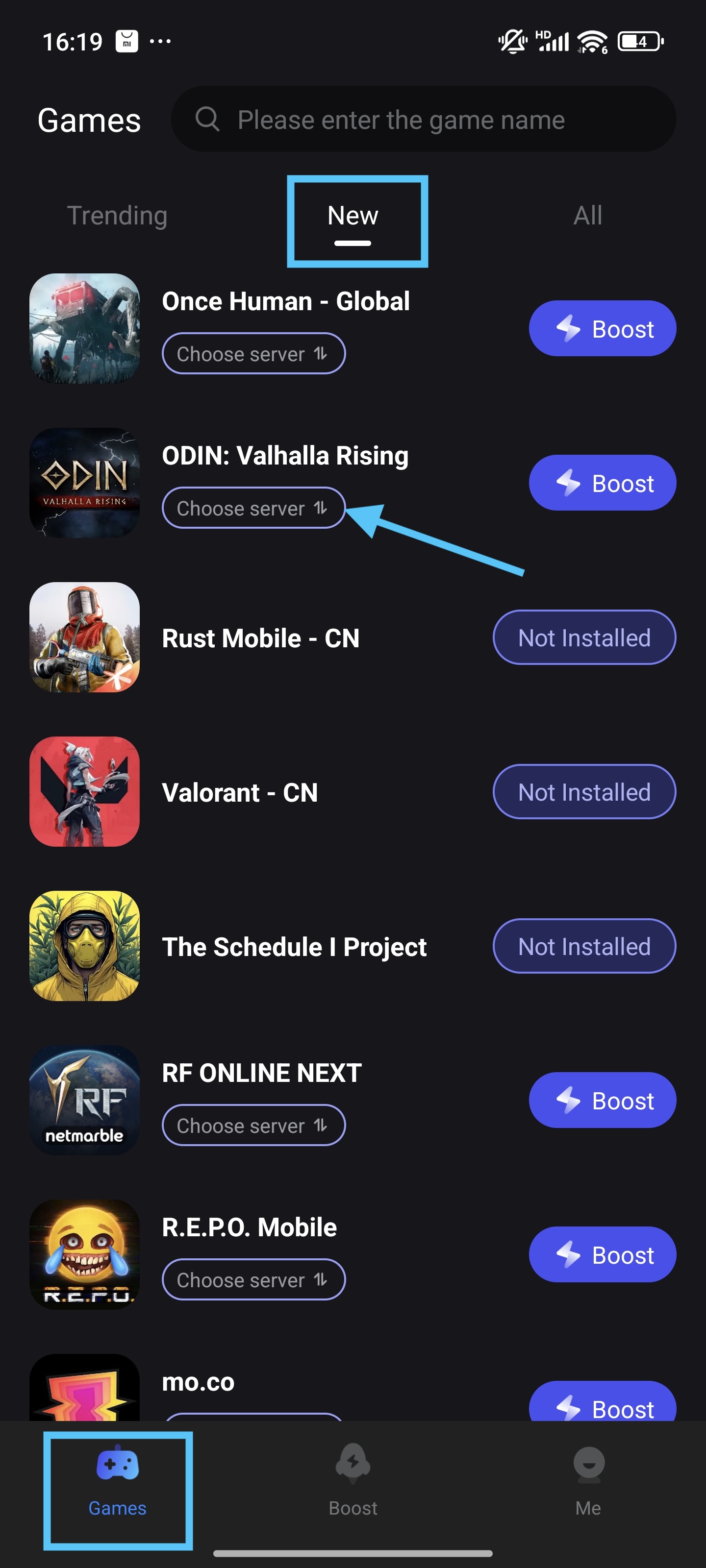
Find the game in LagoFast app > Game Library > "New" Tab
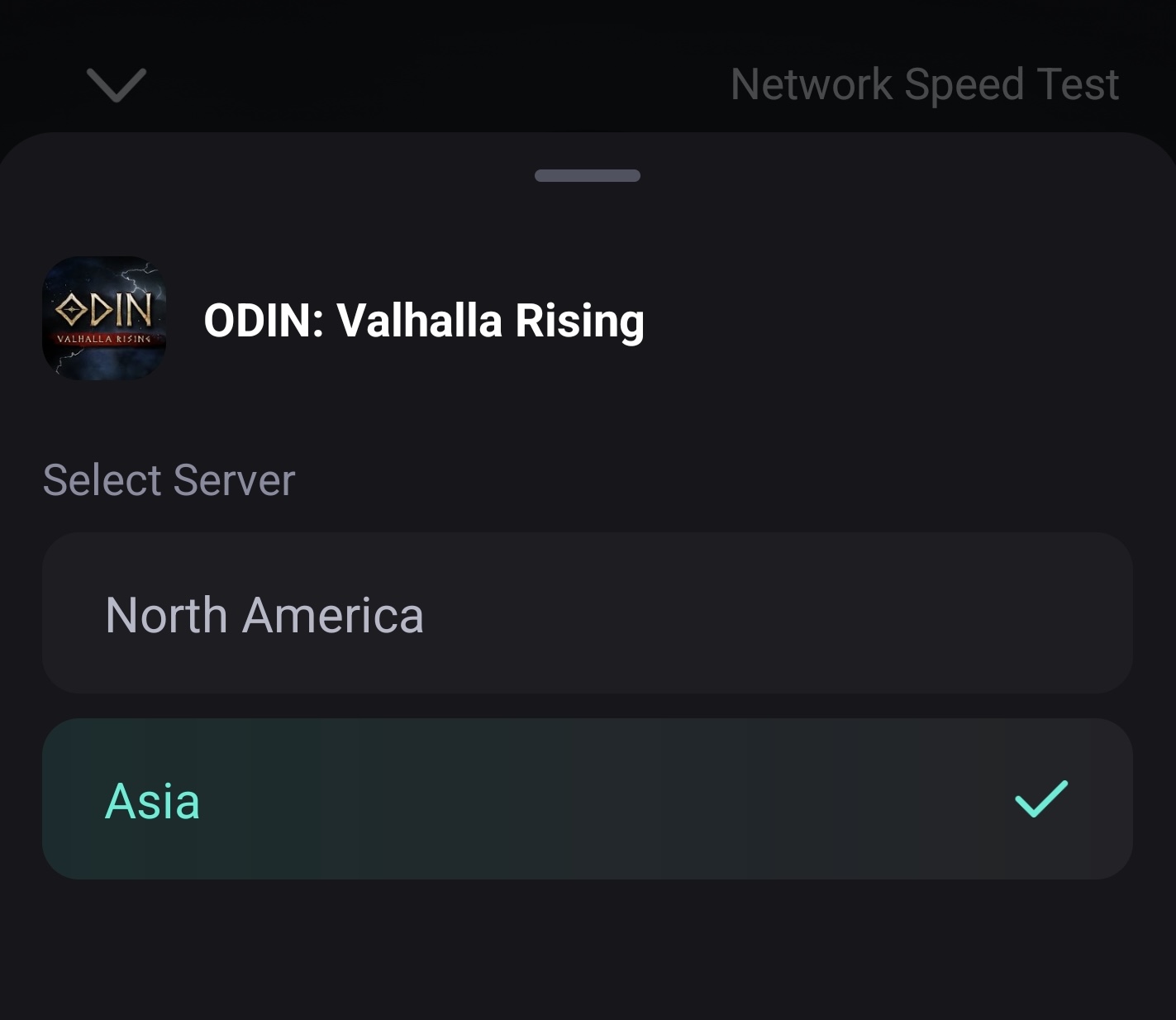
Server Selection: The game only has two servers: an Europe & America server, and an Asia server. Select a server that is near you.
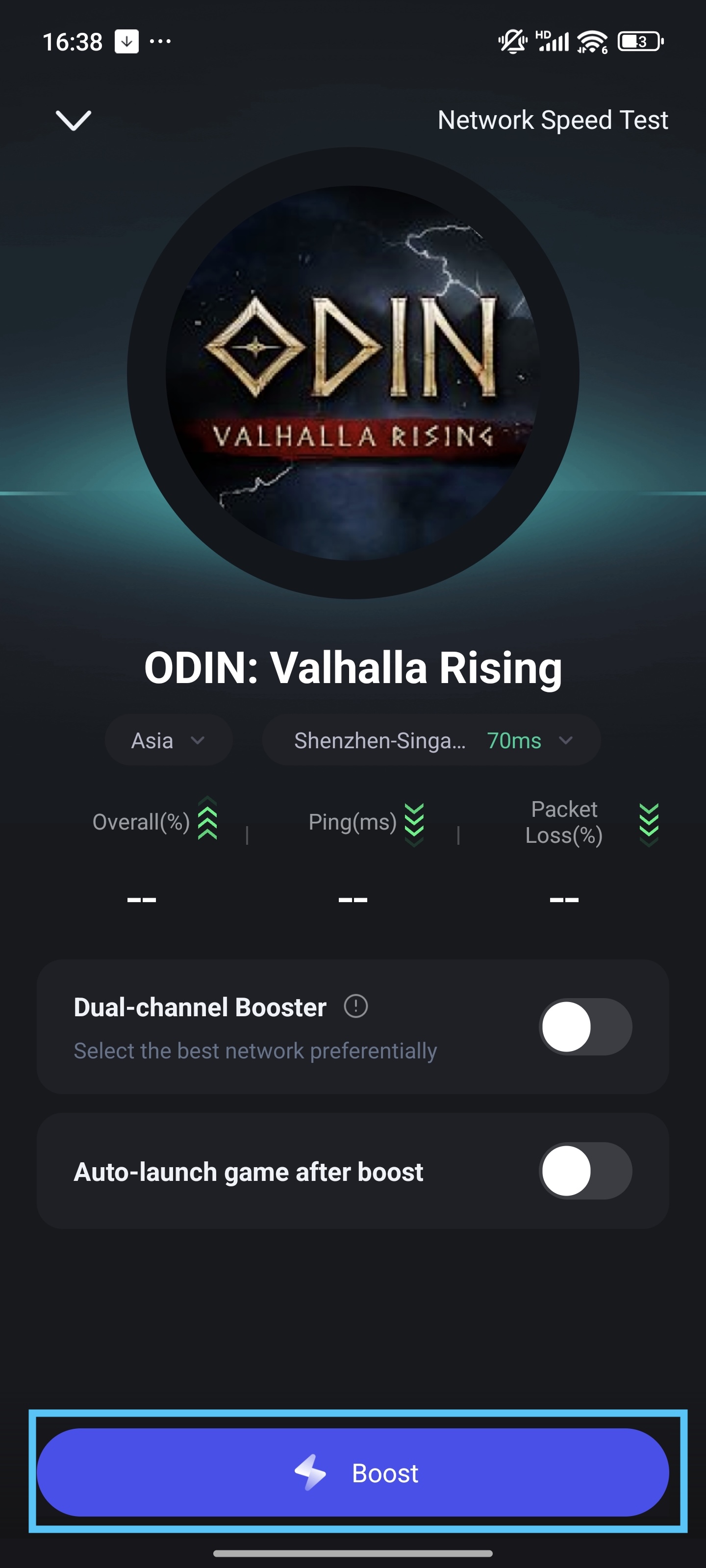
Then tap the “Boost” button, and you can enter the Odin: Valhalla Rising game.
Part 3: Mastering the Translation Ball
In the global version, Odin supports five languages: English, Korean, Spanish, Thai, Chinese.
What if the game doesn't support the language you are using? No worries! You can use the Quick Translate tool on LagoFast to play the game in Portuguese, Russian, or other languages!
The languages LagoFast Quick Translate tool supports: English, Arab, Turkish, Russian, Thai, Indonesian, Vietnamese, Spanish and Portuguese.
Use the LagoFast Quick Translate tool if you need the game to be translated into your language!
** P.S. The tool will translate the game text into the language of your app. Don't forget to set the LagoFast app language into the language you wanna translate to!
You can change the LagoFast app language in Me > Settings > Language.
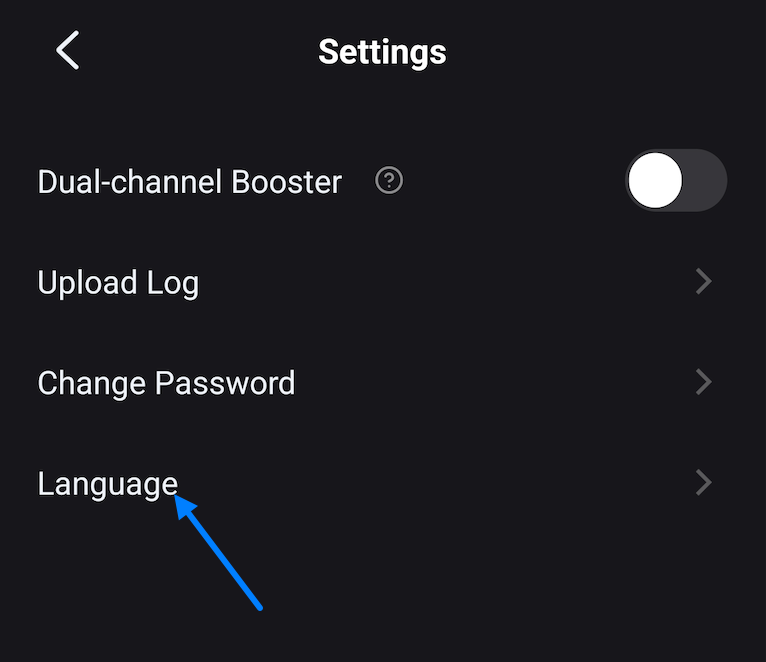
Steps:
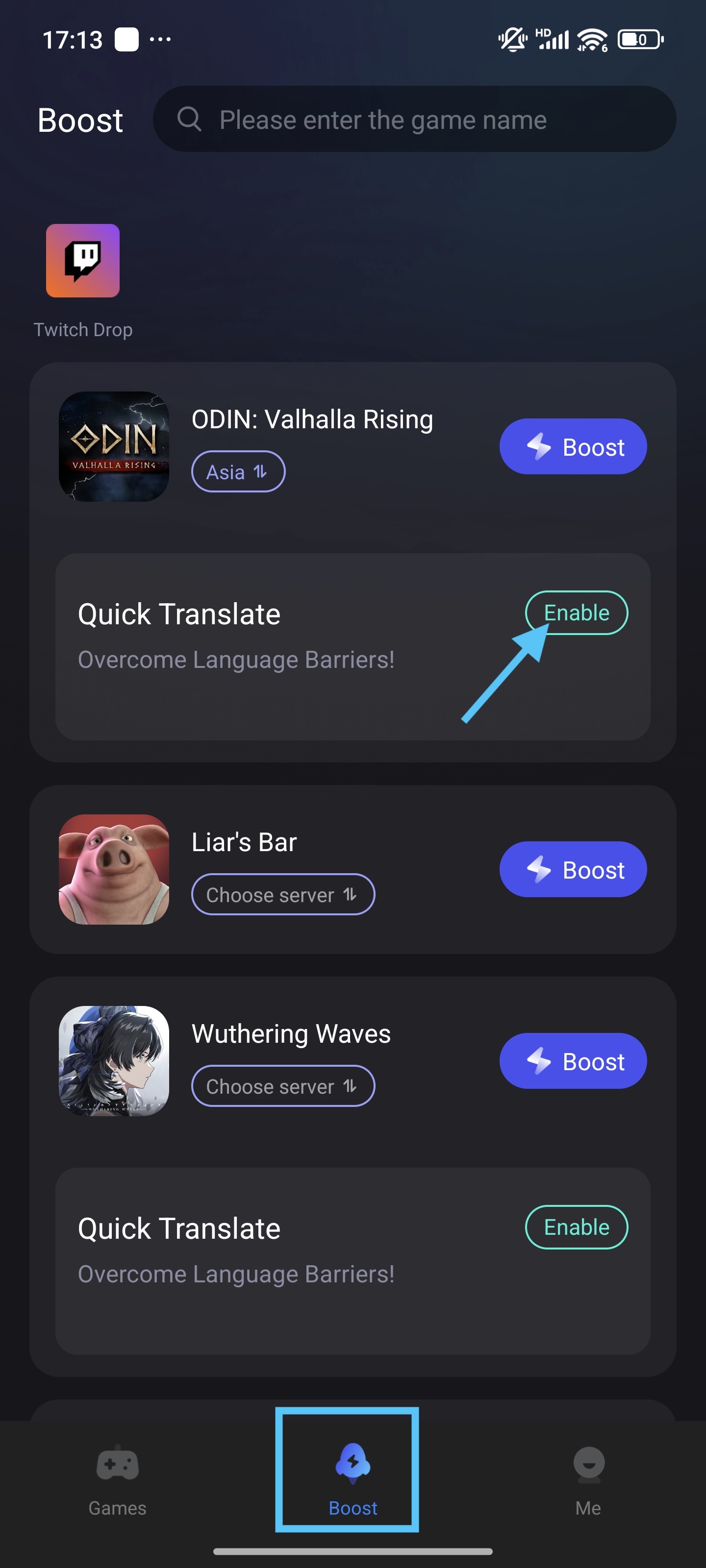
1. Find Odin: Valhalla Rising game in the Boost tab.
2. Then you can see the "quick translate" tool. Tap "Enable"
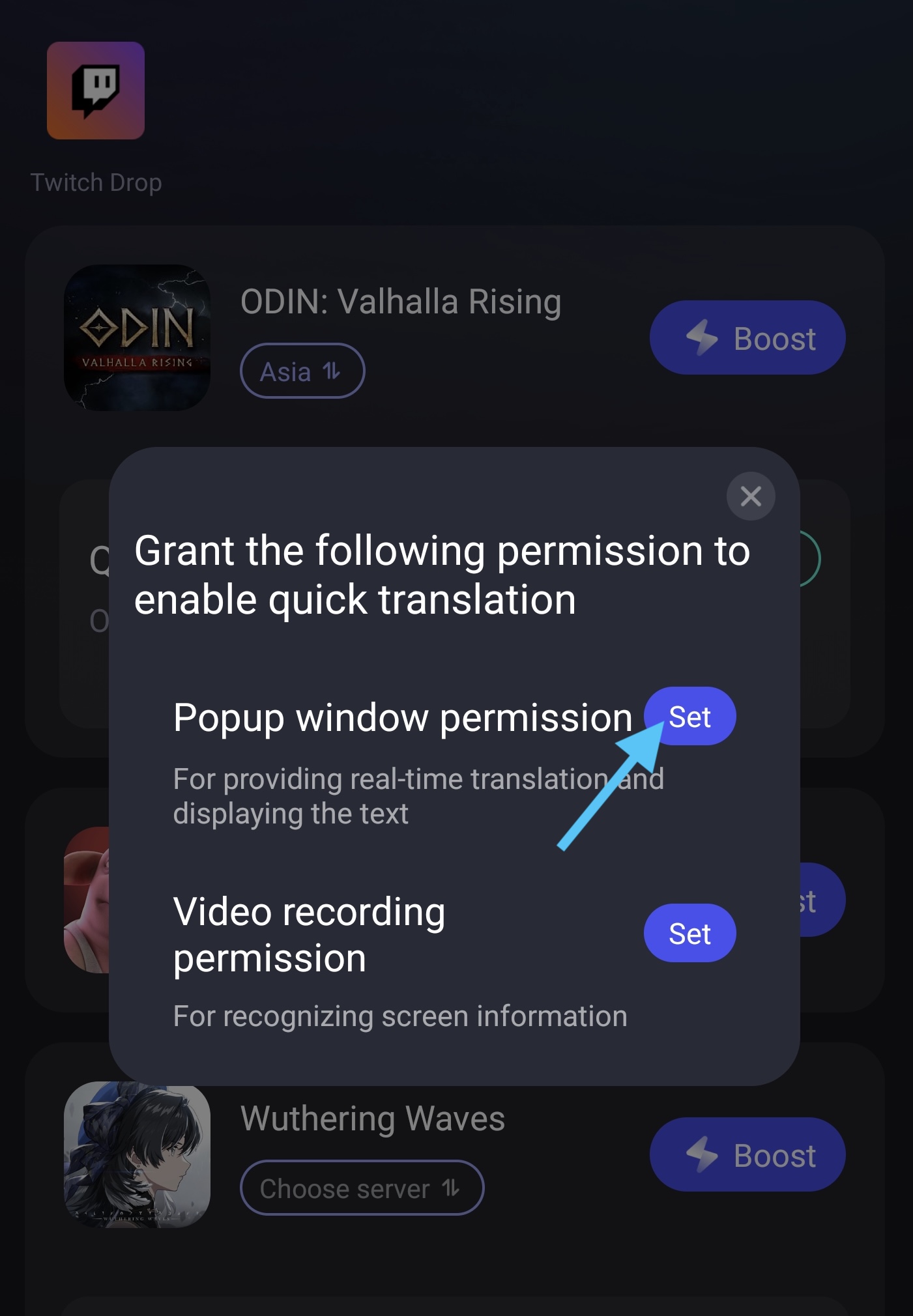
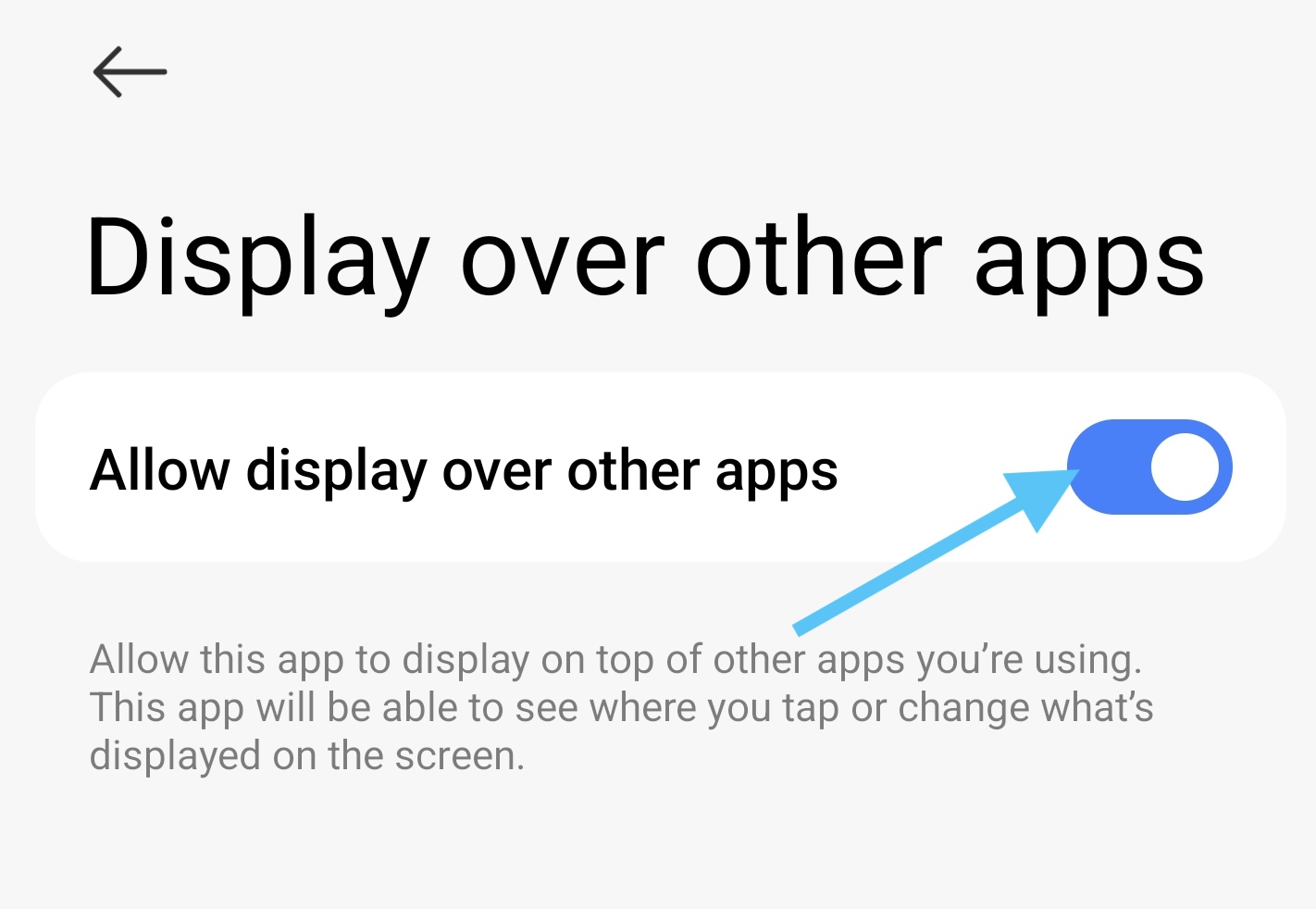
3. Before you turn on the Quick Translate tool, you have to set the permission. First, tap the "Set" button, then find the LagoFast app on the page it leads you to.
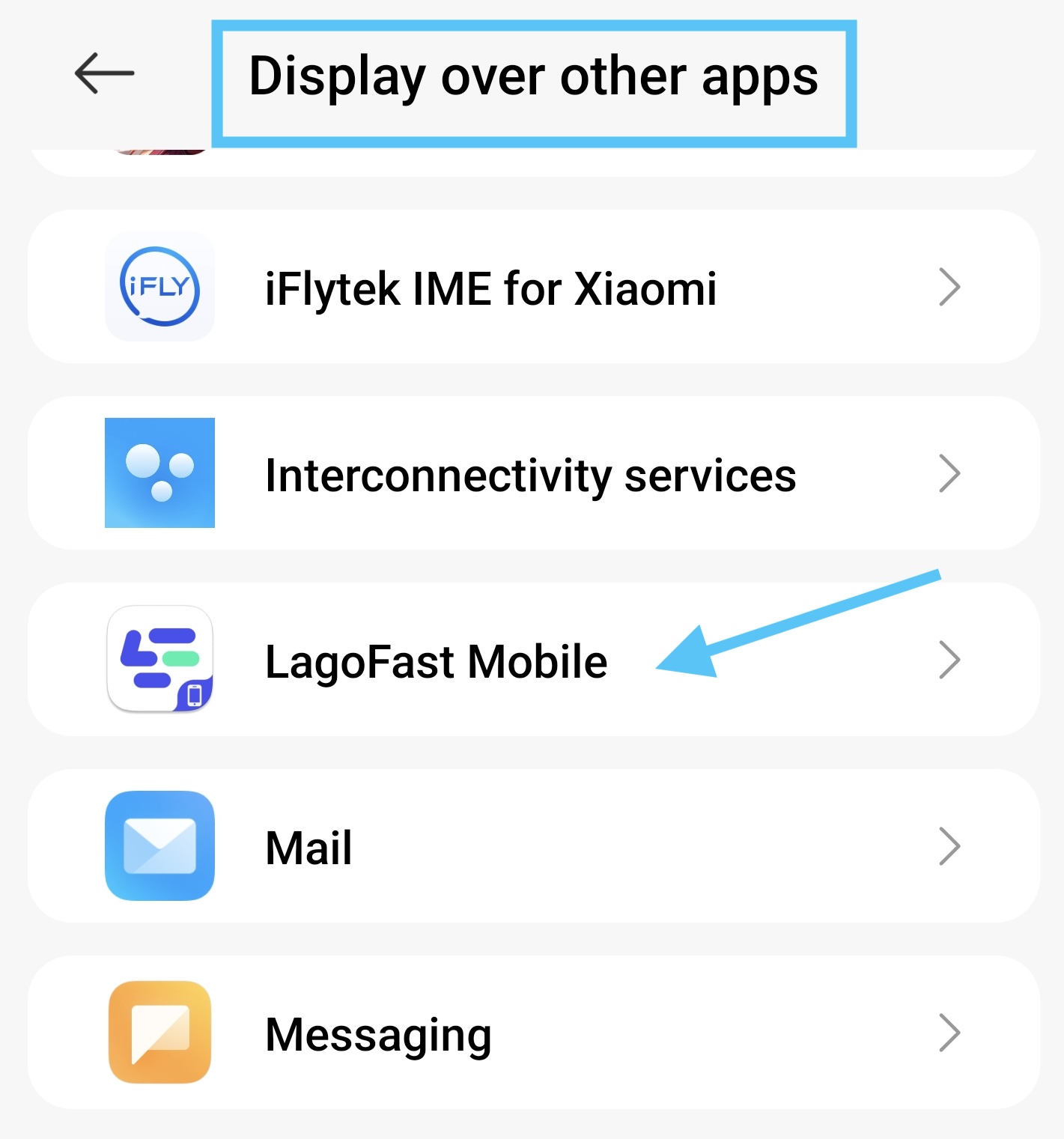
4. Turn on the permission to allow the translate window to display over other apps.
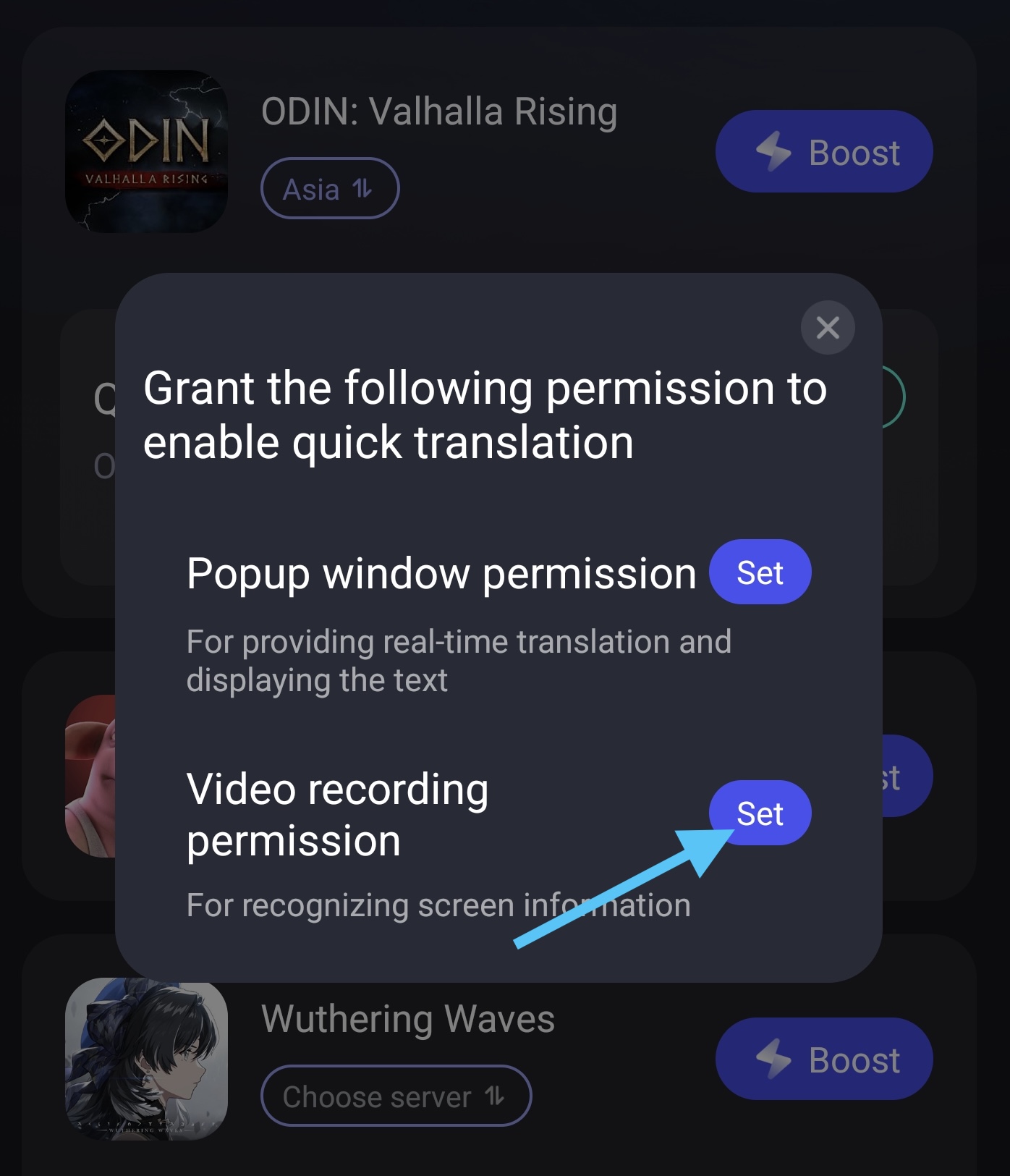
5. Second, go back to the LagoFast app, and tap "Set" button of Video Recording Permission.
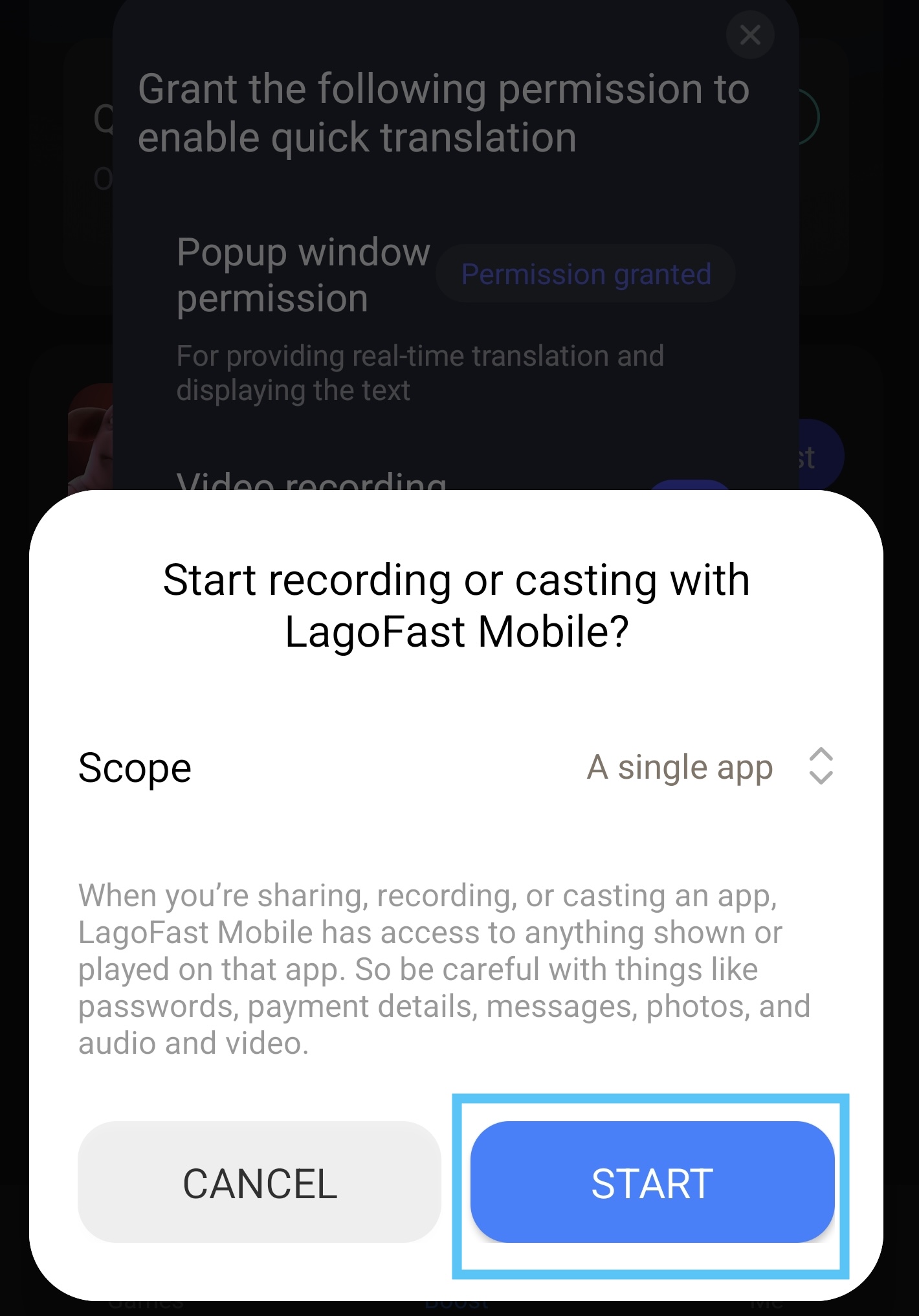
6. Select “Start”
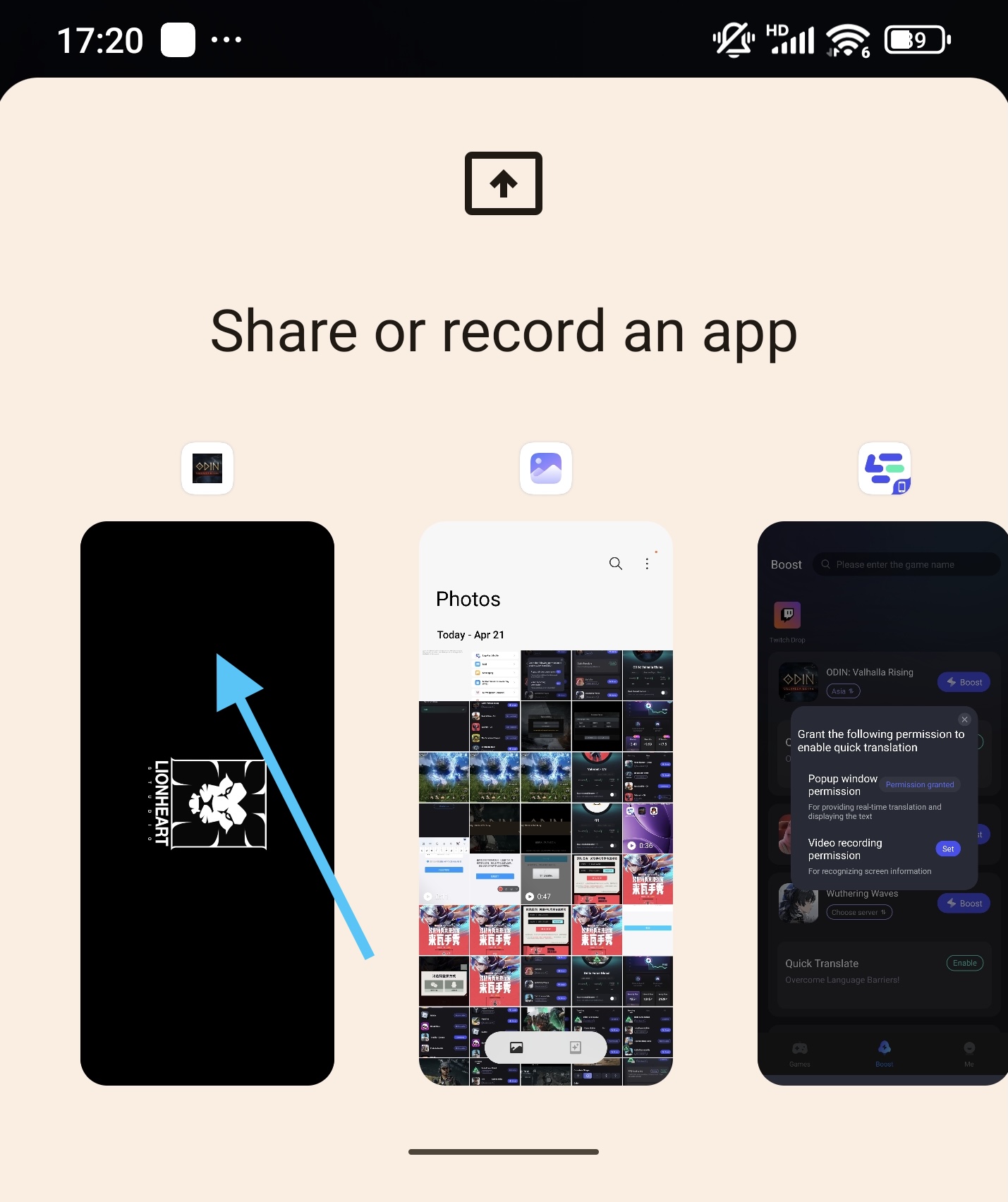
7. Then select the Odin game on the "Share or record an app" page.
Please note, the tool can only translate the text on your current screen. If the text is changed, you need to re-tap the translate tool and re-select the app you wanna translate (step 5 - step 7).
Part 4: Log in to the Odin: Valhalla Rising Game
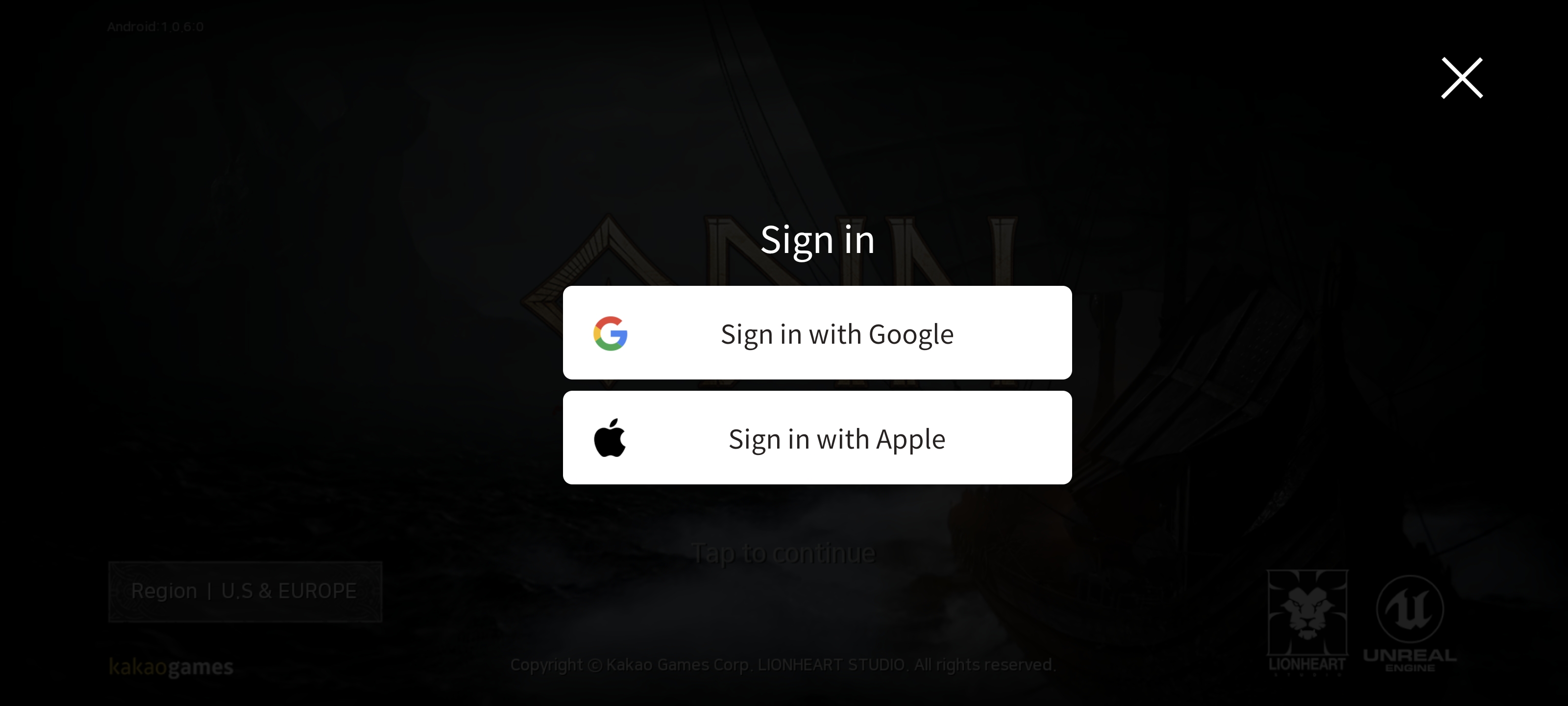
For now, with the LagoFast booster, you can log in to the game with your Google account. No need to worry about the login registration.
Enjoy the play! ^^

